
Best AI Home Security Cameras in 2026: Features, Costs & Privacy
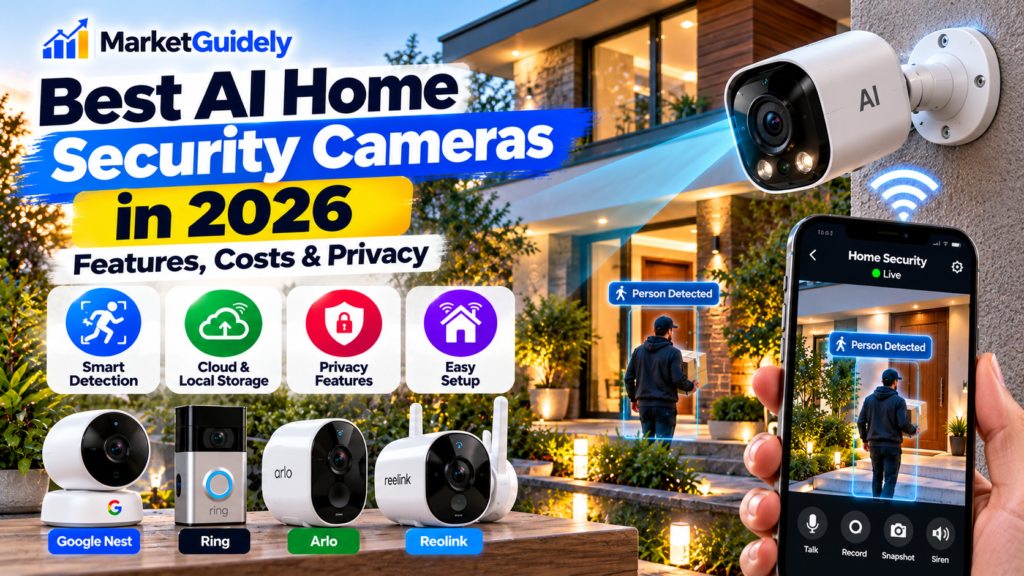
Home security cameras have become more intelligent, but choosing one is no longer just about video quality. AI detection, subscription requirements, storage options, privacy controls, and smart home compatibility can all affect whether a camera is worth buying.
If you are comparing security cameras for your house, apartment, garage, or front porch, this guide explains what to look for, which types of cameras suit different needs, and how to avoid paying for features you may never use.
Last updated: October 15, 2026
Are AI Home Security Cameras Worth Buying in 2026?
AI home security cameras can be useful when their detection features solve a specific problem. Instead of notifying you whenever a tree moves or a light changes, compatible models can classify certain events, such as a person entering a monitored area or a vehicle approaching a driveway.
However, not every camera marketed as an AI device offers the same capabilities. One model may provide basic person detection, while another may support pet recognition, package alerts, activity summaries, or more advanced event descriptions. Some features also require a paid subscription.
What Does AI Actually Do in a Security Camera?
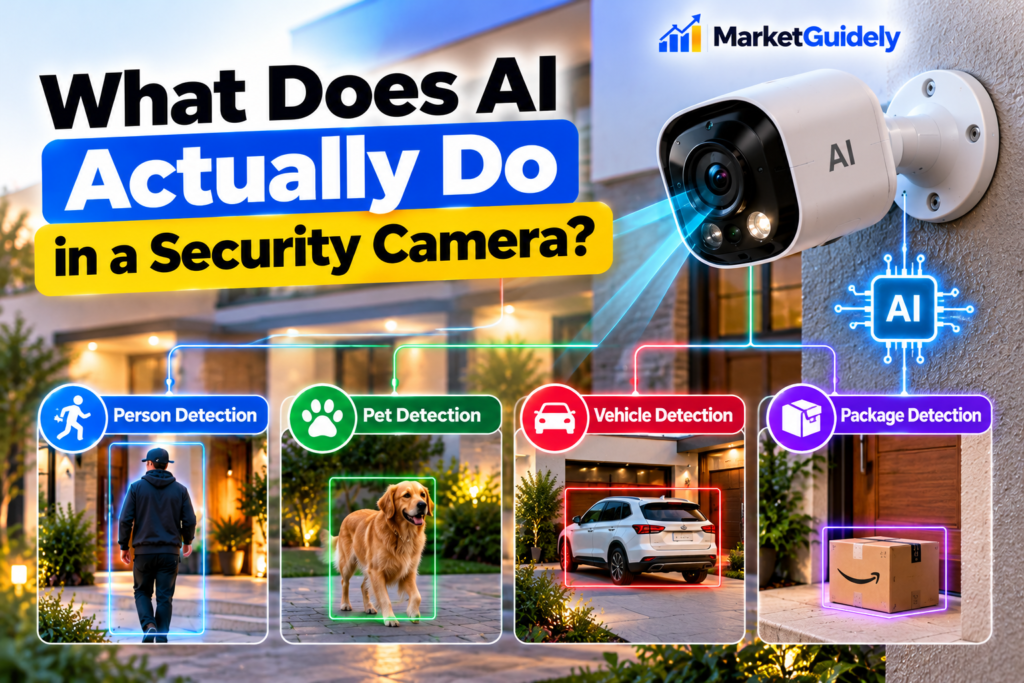
Traditional motion detection responds when something changes in the camera’s field of view. That could be a person, a moving branch, a passing car, or a shadow. AI-assisted detection attempts to classify activity so that alerts can be more relevant.
1. Person detection
The camera attempts to distinguish a human figure from other movement. This can make alerts more useful around entrances, driveways, and garages. Performance still depends on lighting, camera placement, distance, and the manufacturer’s detection system.
2. Pet and vehicle detection
Some cameras can classify pets or vehicles separately from people. These options can help you create more useful alerts, especially if your property faces a busy street or your pets regularly move through the monitored area.
3. Package and activity alerts
Selected devices can identify activity near a doorstep or provide more descriptive event notifications. Availability varies by model, region, software version, and subscription tier.
4. Intelligent event summaries
Some newer camera platforms use more advanced AI to describe recorded events in natural language. Treat these summaries as a convenience rather than definitive evidence: automated descriptions can be incomplete or incorrect.
AI Security Camera Features to Compare
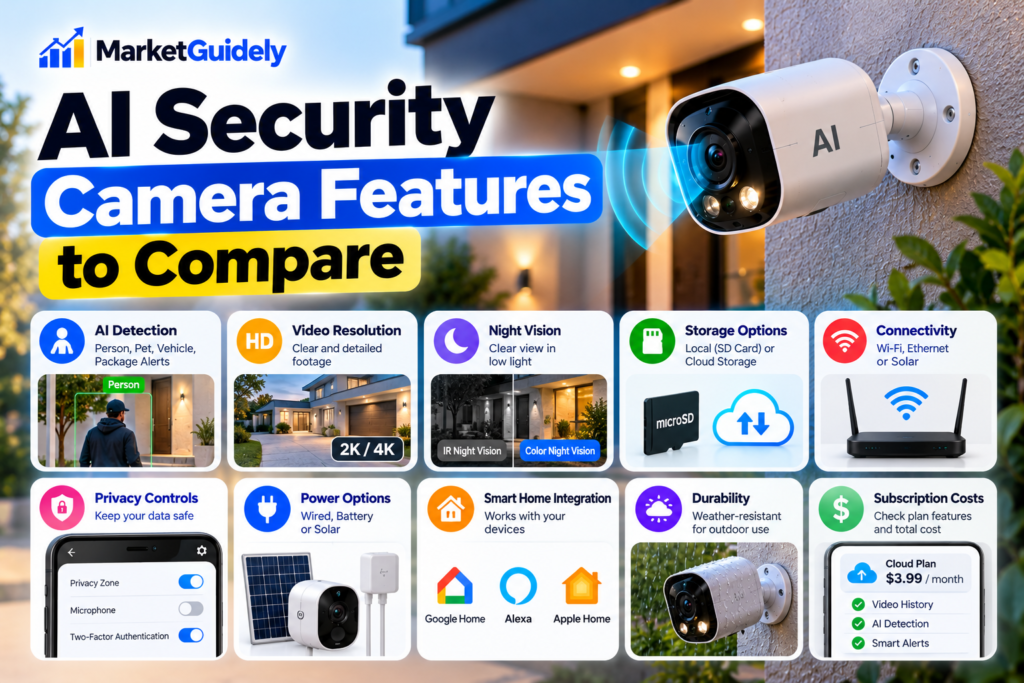
| Feature | Why It Matters | What to Check |
|---|---|---|
| AI detection | Can reduce irrelevant alerts. | Which objects are detected, and are advanced alerts paid? |
| Video resolution | Influences how much detail you can see. | Real-world clarity, especially at night and at a distance. |
| Night vision | Helps monitor areas after dark. | Infrared or color night vision, lighting needs, and image quality. |
| Local storage | Can reduce dependence on cloud subscriptions. | microSD, hub, or recorder support; storage limits and encryption. |
| Cloud storage | May provide remote access and off-site recordings. | Monthly cost, retention period, account requirements, and upload needs. |
| Power and connectivity | Affects installation and reliability. | Wired, battery, solar, Wi-Fi band, and signal strength. |
| Privacy controls | Help protect household footage. | Two-factor authentication, privacy zones, encryption, and access controls. |
| Smart home integration | Can connect the camera to your existing devices. | Compatibility with your preferred platform and required hubs. |
Which AI Security Camera Should You Consider?
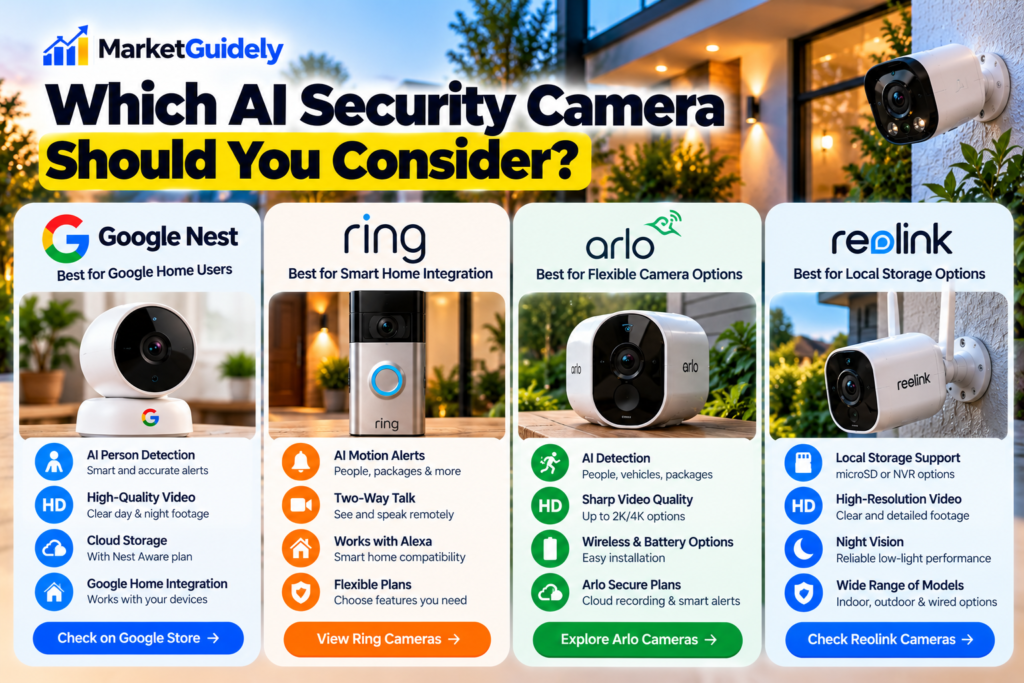
There is no single camera that is best for every household. The right choice depends on your budget, location, recording preferences, and the features you actually need. The following examples illustrate different product ecosystems worth comparing before purchasing.
Google Home Users
Google Nest Cam
Worth investigating if you already use Google Home and want an integrated smart home experience. Compare supported detection features, recording options, and which capabilities require a subscription.
Best fit: Buyers who prefer the Google Home ecosystem.
Smart Home Integration
Ring Security Cameras
Consider Ring if you want to build a compatible setup around cameras, video doorbells, and other Ring devices. Check the current plan details carefully before assuming that recordings or advanced detection are included.
Best fit: Households considering a connected Ring system.
Flexible Camera Options
Arlo Security Cameras
Arlo offers camera options across different installation styles and use cases. Compare resolution, power, detection capabilities, recording plans, and the total cost for every camera you intend to install.
Best fit: Buyers comparing premium features and flexible installations.
Local Storage Options
Reolink Security Cameras
Reolink has camera options worth comparing if local recording, wired systems, or reducing recurring cloud costs are priorities. Storage support and AI functions differ between models.
Best fit: Buyers who want to evaluate local recording and system flexibility.
Indoor vs. Outdoor AI Security Cameras
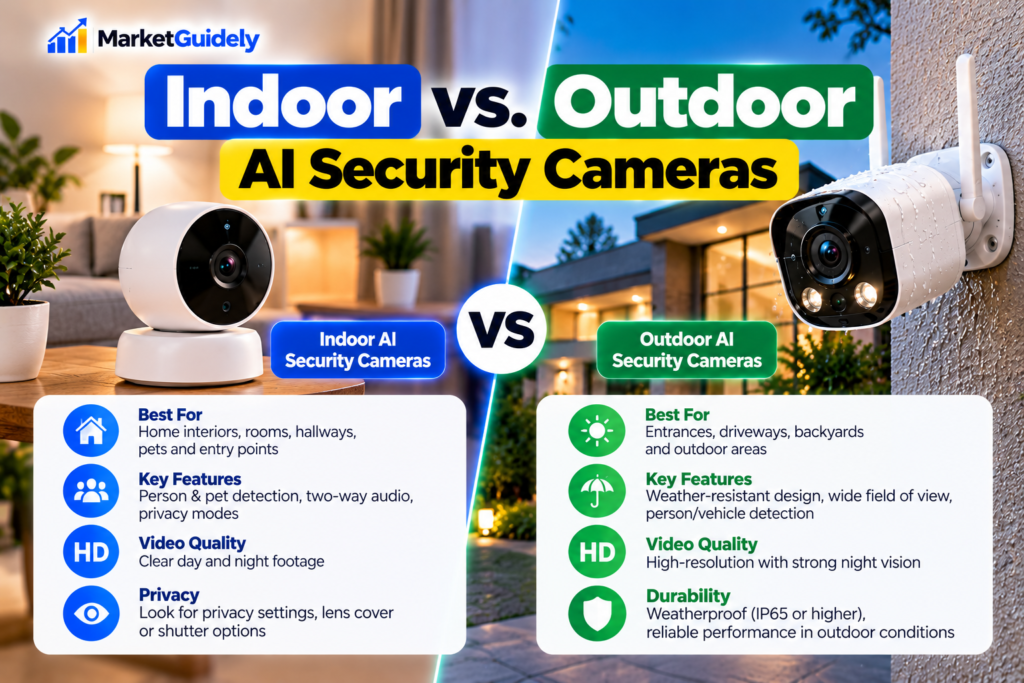
Indoor cameras
Indoor cameras are designed to monitor rooms, hallways, pets, or entry points from inside the home. Before buying one, consider whether you need remote viewing, privacy controls, two-way audio, or recording while you are away.
Because indoor cameras may capture family members, visitors, and private spaces, choose a model with clear privacy settings. A physical shutter or lens-concealment feature can be useful when available.
Outdoor cameras
Outdoor cameras need to withstand the conditions at their installation location. Check the manufacturer’s weather-resistance rating, operating temperature range, mounting requirements, and power options.
Think carefully about the field of view. A camera pointed at an entrance may need different coverage from one monitoring a driveway or backyard. Avoid positioning cameras where they unnecessarily capture a neighbor’s private areas.
Wired, battery-powered, or solar?
- Wired: Often suitable for a permanent installation where reliable power is available.
- Battery-powered: Can simplify installation but requires charging or battery replacement.
- Solar-assisted: May reduce manual charging when compatible panels receive enough sunlight.
- Power over Ethernet: Can provide network connectivity and power through a compatible Ethernet connection, but requires appropriate cabling and equipment.
How Much Do AI Security Cameras Cost?
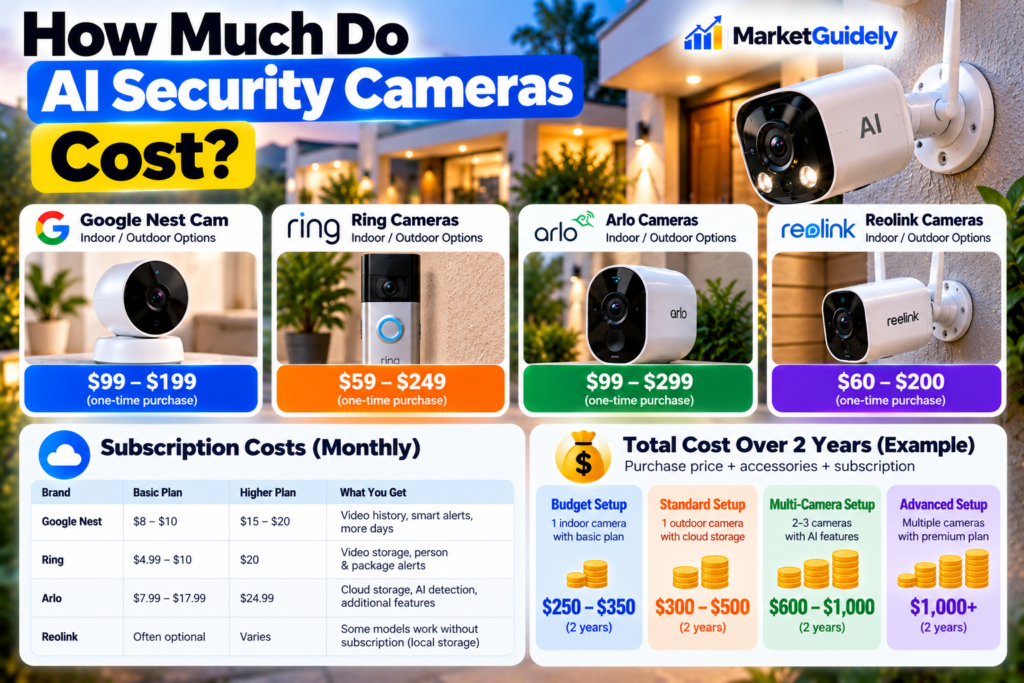
The total expense includes more than the price shown on a product page. Installation accessories, storage devices, subscriptions, additional cameras, and replacement batteries may increase the amount you spend.
| Cost Component | Questions to Ask |
|---|---|
| Initial purchase | Does the price include mounting hardware, power accessories, and any required hub? |
| Cloud subscription | How much does the plan cost, and what happens when it expires? |
| Local storage | Do you need a memory card, recorder, or separate storage hub? |
| Installation | Can you install it yourself, or will professional installation be necessary? |
| Power and maintenance | Will you need replacement batteries, extra cabling, or solar accessories? |
For a realistic comparison, calculate the cost over at least two or three years. A camera with a lower purchase price may become more expensive if essential features require a recurring subscription.
A simple ownership-cost formula
For example, if a camera requires a paid plan for the specific detection or recording features you want, include that plan in your budget before comparing it with a camera that offers those features locally or without a recurring fee.
Cloud Storage vs. Local Storage: Which Is Better?
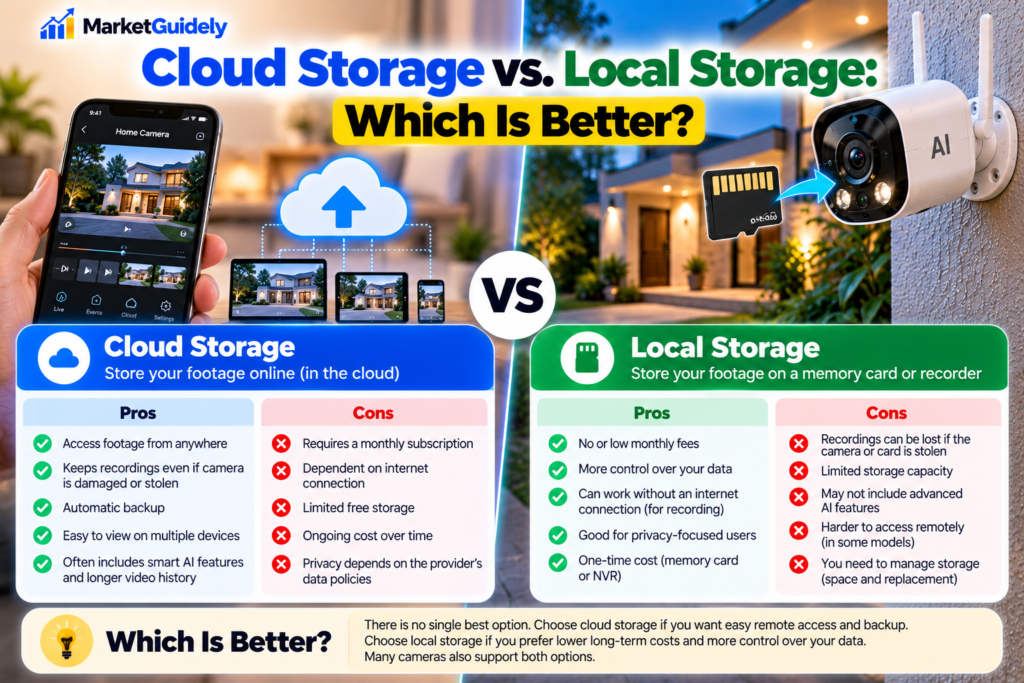
Storage determines where video recordings are kept and how you can access them. Neither approach is automatically best for every household.
Cloud storage
- Can make recordings accessible remotely through an account.
- May keep footage available even if the camera is damaged or stolen, depending on when it was uploaded.
- Can involve recurring fees, retention limits, and an internet connection.
- Requires you to review account security and the provider’s privacy policies.
Local storage
- May reduce or eliminate recurring cloud-storage charges for supported features.
- Can give you more control over where recordings are stored.
- May be vulnerable if the camera or storage device is stolen or damaged.
- Can have limits on remote access, storage capacity, or advanced AI features.
Some systems combine local and cloud storage. Before purchasing, confirm which events are recorded, how long recordings remain available, whether remote viewing requires a subscription, and whether the system continues to work during an internet outage.
AI Camera Privacy and Security: What to Check
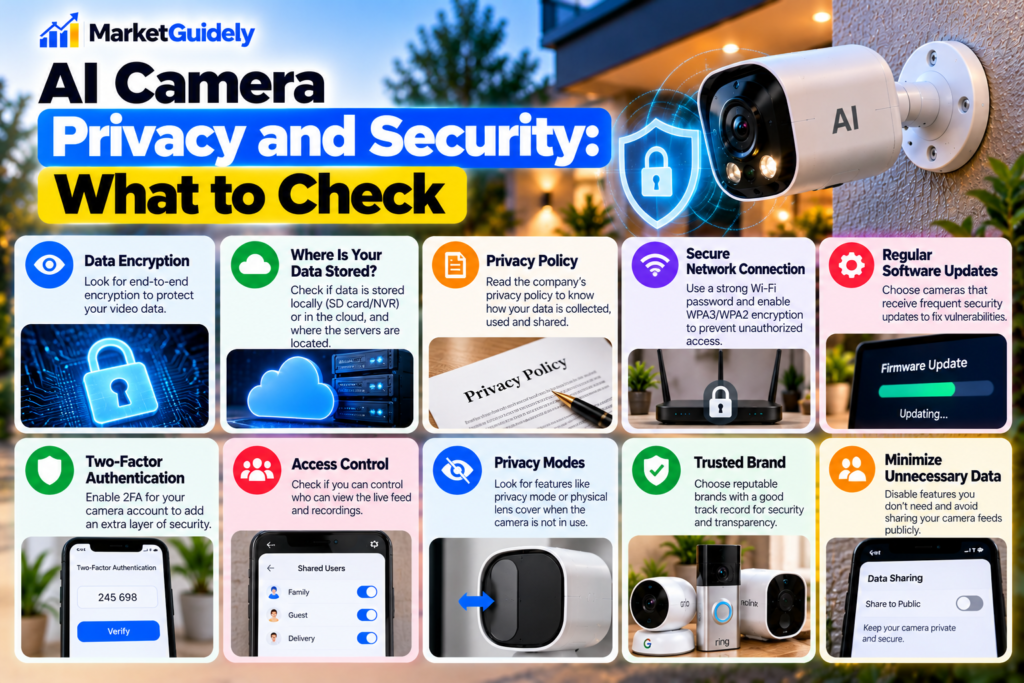
A security camera can protect your property, but it also collects information about the people and activity around it. Privacy should be part of the buying decision—not something to consider only after installation.
Privacy Checklist Before You Buy
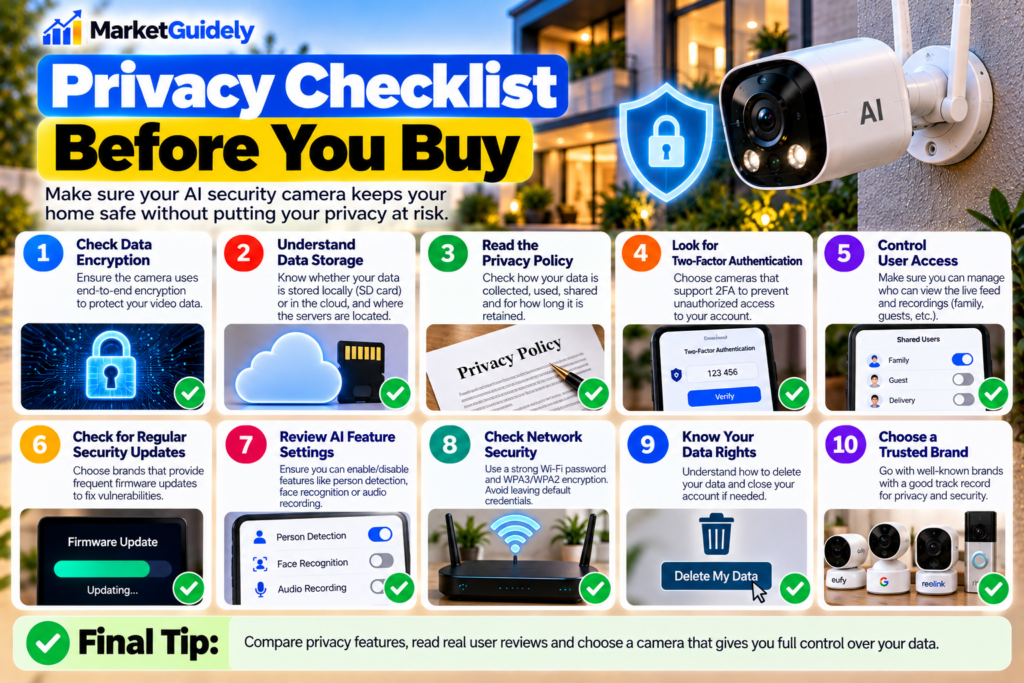
- Account protection: Check for two-factor authentication and secure account-recovery options.
- Software updates: Confirm that the manufacturer provides security updates and explains how to install them.
- Storage protection: Review encryption, access controls, and how recordings can be deleted.
- Privacy zones: Look for features that can mask areas outside your property.
- Microphone controls: Check whether audio recording can be disabled independently of video.
- Data policies: Understand what information the provider collects and how long it retains recordings.
- Sharing permissions: Review which family members or other users can view live feeds and saved footage.
- Physical privacy: For indoor cameras, consider a shutter, lens-cover mode, or the ability to disconnect power easily.
For additional guidance, review the U.S. Federal Trade Commission’s consumer information on online privacy and security and the Cybersecurity and Infrastructure Security Agency’s recommendations at Secure Our World.
Common Mistakes to Avoid When Buying an AI Camera
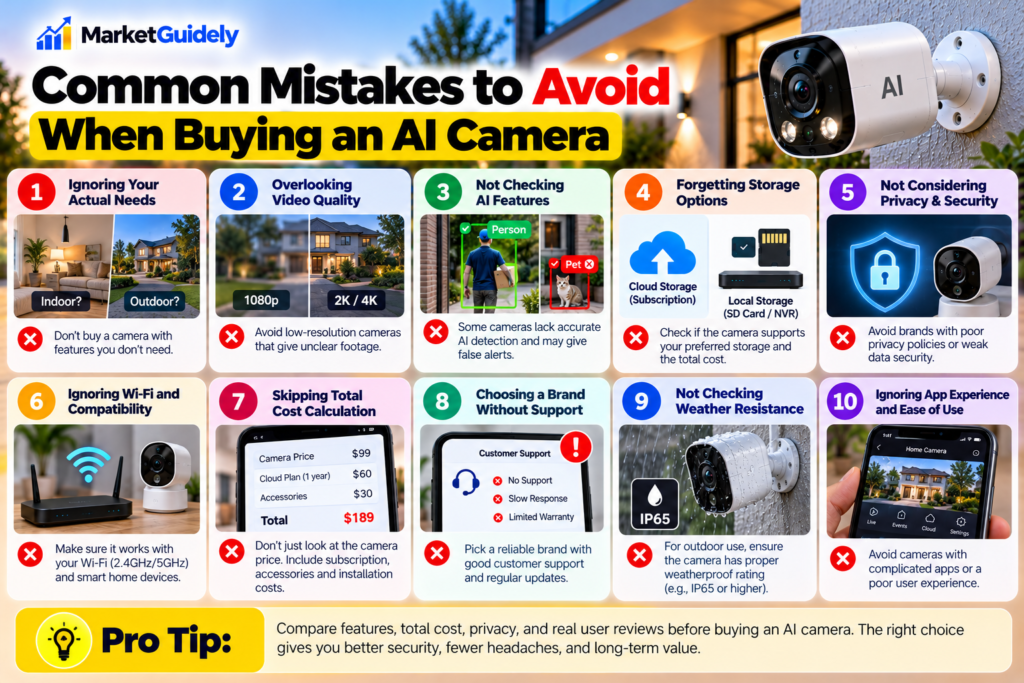
1. Choosing resolution without checking real-world performance
A higher resolution can capture more detail, but lens quality, lighting, field of view, and night performance also matter. Look for independent tests and sample footage rather than relying on a resolution number alone.
2. Assuming every AI feature is free
Some manufacturers reserve certain detection options, event summaries, or video-history features for paid plans. Read the plan comparison before making a decision.
3. Ignoring Wi-Fi coverage
A camera placed at the edge of your property may receive a weak signal. Check connectivity requirements and consider whether your router or mesh network can reliably reach the installation location.
4. Buying more cameras than necessary
Start by identifying important entrances and areas that genuinely need monitoring. More cameras can increase costs, maintenance, privacy concerns, and the number of devices you must manage.
5. Forgetting the account after installation
Use a unique password, enable available account protections, keep software updated, and remove access for anyone who no longer needs it.
How to Choose the Right AI Security Camera
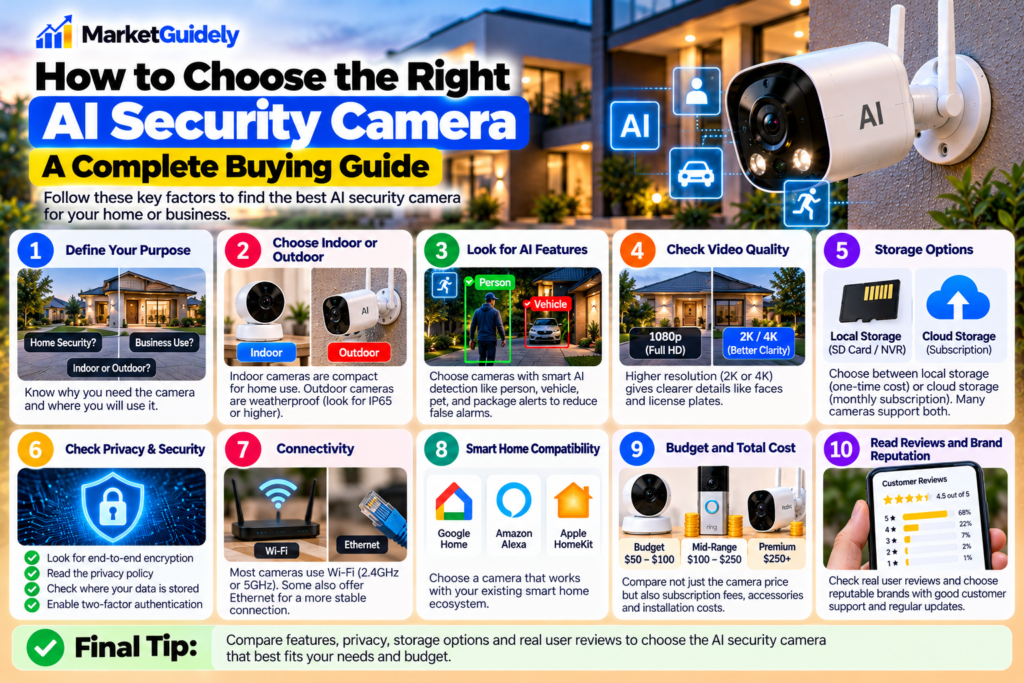
- Identify your main goal. Decide whether you need entrance monitoring, indoor visibility, driveway coverage, pet monitoring, or package alerts.
- Choose the installation type. Compare wired, battery-powered, solar-assisted, and Ethernet-powered models.
- Verify AI detection. Confirm that the camera can identify the specific events you care about.
- Calculate the long-term cost. Include required subscriptions, storage, accessories, and installation.
- Review privacy and security. Check account protections, software support, storage controls, and privacy features.
- Confirm compatibility. Make sure the camera works with your phone, smart home platform, network, and any existing devices.
- Check independent reviews. Look for evidence about alert accuracy, night performance, reliability, and app usability.
Frequently Asked Questions
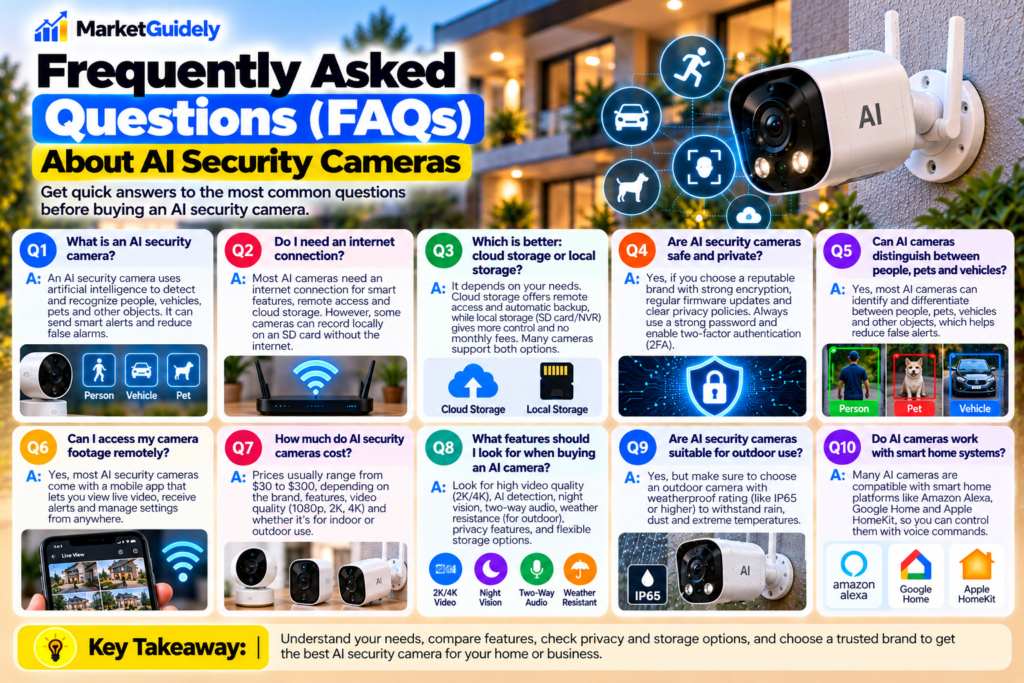
1. Are AI home security cameras worth buying in 2026?
They can be worth buying if their detection features reduce irrelevant alerts or help you monitor important areas. Compare real capabilities, privacy controls, subscription requirements, and total ownership costs before purchasing.
2. Which AI security camera is best for home use?
The best choice depends on your requirements. Compare Google Nest, Ring, Arlo, and Reolink models based on detection features, recording options, installation type, compatibility, and ongoing costs. No single brand is best for every household.
3. Can security cameras detect people instead of ordinary motion?
Many models offer person detection, which attempts to distinguish people from other movement. Accuracy varies with lighting, distance, camera placement, and the particular device. Check independent testing before relying on this feature.
4. Can I use an AI security camera without a subscription?
Some cameras support local recording and useful detection features without a monthly plan. Others require a subscription for cloud recordings or advanced AI features. Check the manufacturer’s current feature and plan details.
5. Is local storage safer than cloud storage?
Each option has different risks. Local storage can reduce reliance on a cloud provider, but recordings may be lost if the device is stolen or damaged. Cloud storage can provide off-site copies but requires trust in the provider and protection of your account.
6. Do AI security cameras work without Wi-Fi?
It depends on the model. Some cameras can record locally without an internet connection, while remote viewing, notifications, cloud storage, or certain AI features may require connectivity. Check the exact operating requirements.
7. Are indoor security cameras safe for privacy?
They can be used more responsibly by choosing strong account security, limiting camera access, disabling audio when unnecessary, enabling privacy modes, and understanding the manufacturer’s data policies. Placement also matters.
8. What should I check before buying an outdoor AI camera?
Review weather resistance, night vision, detection accuracy, field of view, power options, Wi-Fi coverage, mounting requirements, storage, and subscription costs. Also position the camera to avoid unnecessarily recording private neighboring areas.
Watch: AI Security Cameras in 2026
Want a visual overview before choosing a camera? This video discusses security camera options and features to compare. Use it as a starting point, then verify product specifications and current prices before buying.
Find the Right AI Security Camera for Your Home
Explore camera types, smart detection, storage options, and features worth comparing.
Keep in mind: Product features, prices, and subscription plans can change. Check the manufacturer’s current specifications before making a purchase.
Our Final Thoughts
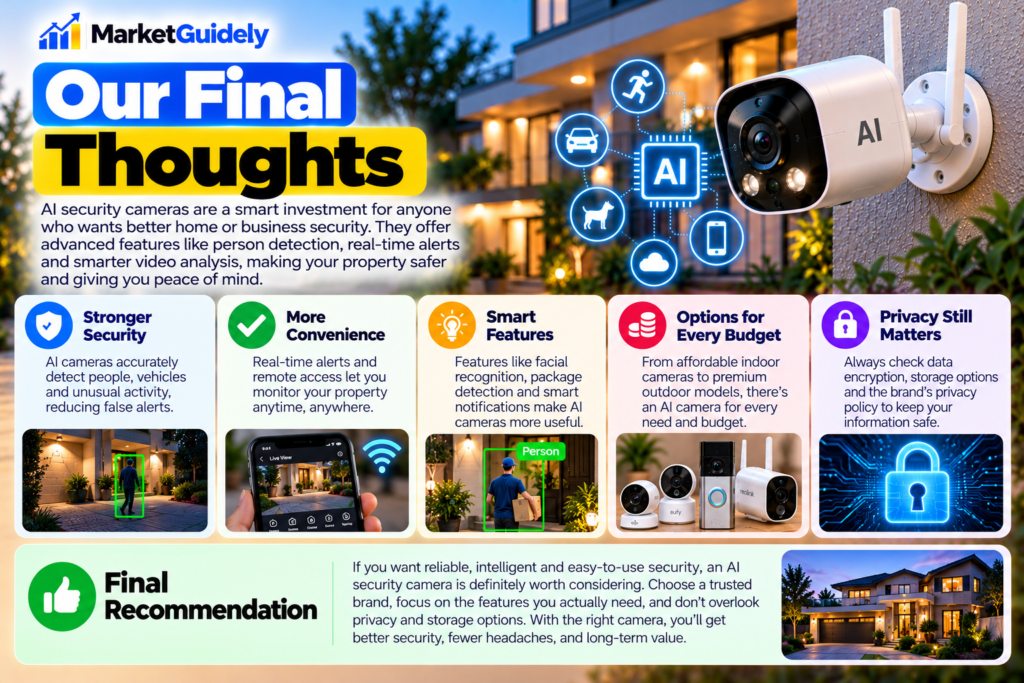
The best AI home security camera is not necessarily the one with the most features. It is the one that reliably monitors the areas you care about, provides useful alerts, fits your budget, and gives you enough control over your recordings and personal data.
Before buying, compare the camera’s AI capabilities, video quality, power requirements, storage options, and compatibility with your existing devices. Read the subscription terms carefully, particularly if you expect to use advanced detection or save recordings for later.
For some households, a simple camera with dependable person detection and local storage will be enough. Others may benefit from a more integrated smart home system. Start with your actual security needs, compare the total cost, and expand your setup only when additional coverage is useful.
Editorial note: Product names are included as examples for comparison, not as a claim that every model has been independently tested by MarketGuidely. Features, pricing, subscriptions, and availability may change. Verify details with the manufacturer before purchasing.
Author

marketguidely@gmail.com
Related Posts

How to Price Cleaning Services in 2026: Rates & Examples
- 0
- 2,816 words
Pricing a cleaning service sounds straightforward until you start adding up the hours, supplies, travel, insurance and time spent managing customers. A...
The Best Wireless Earbuds Under ₹2000
- 0
- 1,839 word
Wireless Earbuds Under ₹2000 Spending ₹2000 on wireless earbuds in India used to mean accepting tinny sound, flimsy plastic, and a battery...
Read out all
Things to Check Before Buying a Laptop: 10 Smart Tips for a Better Buy in 2026
- 0
- 3,077 words
Buying a used laptop can feel like a shortcut until you realize the “deal” comes with a dying battery, a warped hinge,...
Read out all
Things to Check Before Buying a Gaming PC: 10 Smart Tips for a Better Buy in 2026
- 0
- 3,019 words
Buying a gaming PC can feel simple until you start comparing specs and realize half the numbers only matter in the right...
Read out all
Best Phone Under ₹15000 in 2026
- 0
- 5,593 words
A phone under ₹15000 in 2026 is not a compromise purchase anymore, but it is still a trade-off game. The best phone...
Read out all
Best Gaming PC Under ₹70000: A Clear Buying Guide
- 0
- 2,469 words
A best gaming PC under ₹70000 is not about chasing the biggest number on a parts box. It is about building a...
Read out all