
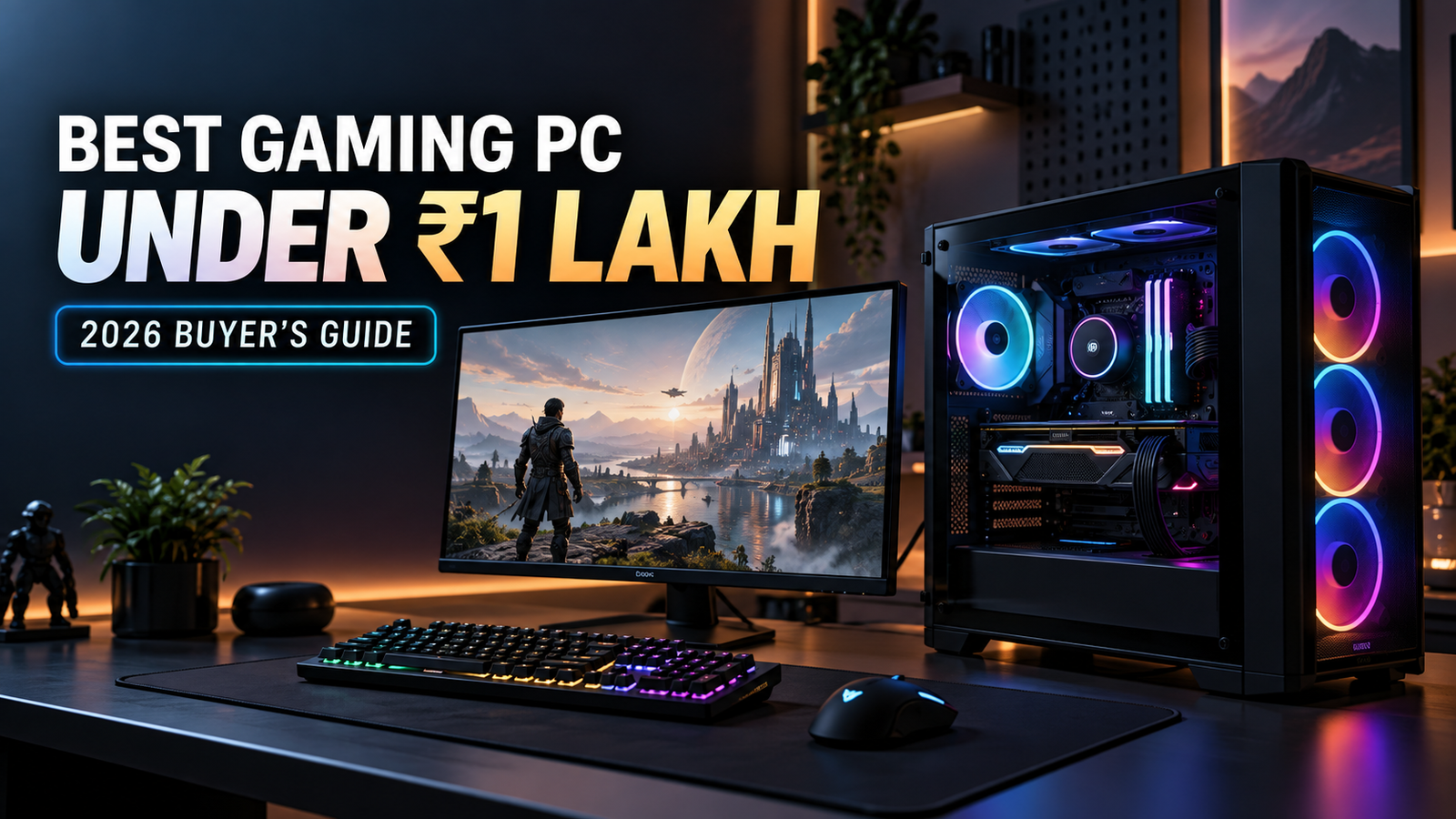
A gaming PC under ₹1 lakh is the sweet spot where you stop making obvious compromises and start making smart ones. At this budget, you can get smooth 1080p play, solid 1440p performance, and a system that still feels quick when you open Discord, Chrome, and a game launcher at the same time. The trick is picking the right balance, because one flashy part can quietly wreck the rest of the build.
Table of Contents
Best gaming PC under ₹1 lakh: what You’re really shopping for
The best gaming PC under ₹1 lakh is not about buying the most expensive CPU and calling it a day. You’re really shopping for a system that keeps frame rates high, stays cool, and leaves enough money for the parts that actually affect the experience, like the graphics card, PSU, and SSD.
At this price, you can get a machine that handles competitive games at very high refresh rates and modern AAA titles at sensible settings. You should not expect every game to run at max settings in 1440p without compromise. That’s not the point. The point is to get a rig that feels fast now and does not trap you in a dead-end upgrade path six months later.
How we chose these gaming PC builds
These picks focus on real-world gaming performance first, not showroom appeal. Parts were chosen for value, upgrade room, part availability in India, thermal behavior, and the kind of pricing you can actually run into when shopping locally.
That last part matters more than people admit. A build can look perfect on paper and fall apart once motherboard, RAM, or GPU prices shift in your city or on the store page. So these are practical configurations, not fantasy lists built around one lucky sale.
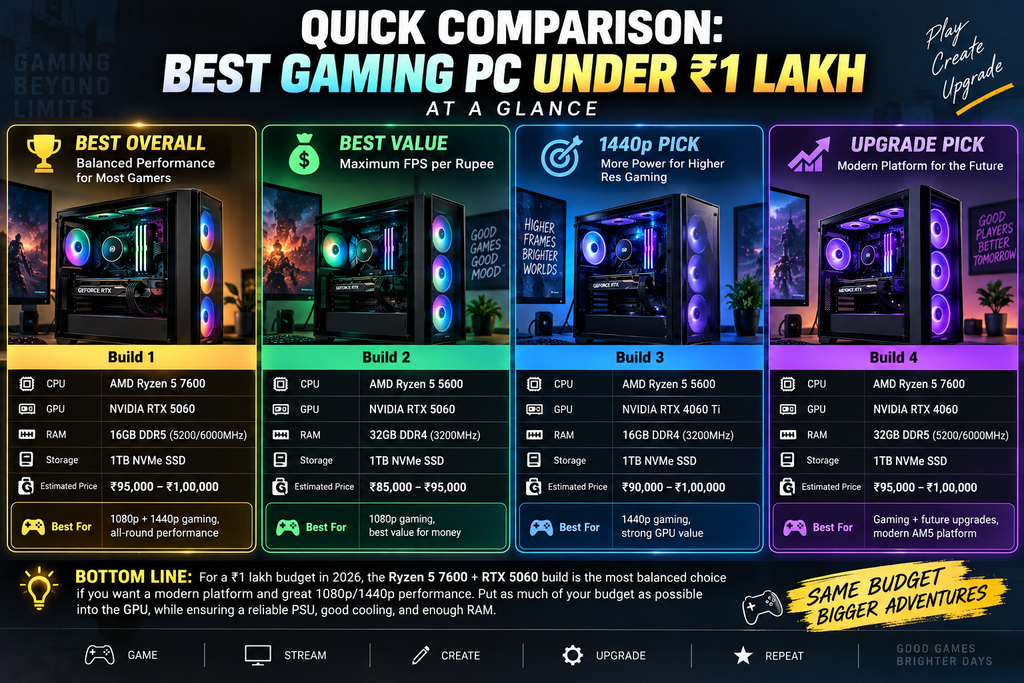
Quick comparison: the best gaming PC under ₹1 lakh at a glance
| Build | Best for | Standout part | Biggest trade-off |
|---|---|---|---|
| Intel Core i5-12400F + RTX 3060 Ti | Balanced value | Strong FPS-per-rupee | Older platform |
| Ryzen 5 7600 + RTX 4060 Ti | Upgrade path | AM5 motherboard and DDR5 | Higher parts cost |
| Ryzen 7 or Intel Core i7 + RTX 4060 Ti | Streaming and multitasking | Extra CPU cores, 32GB RAM | Less value for pure gaming |
| RTX 4070-class build | Strongest graphics performance | Faster 1440p gaming | Tight budget elsewhere |
Intel core i5-12400F + RTX 3060 ti build – best balanced value pick
If you want the safest all-rounder, this is the one to beat. The Intel Core i5-12400F and RTX 3060 Ti combination still lands in that sweet spot where gaming performance feels strong without forcing ugly sacrifices in the rest of the build.
This build is especially attractive in India because parts are easy to find, service support is familiar, and the platform has been around long enough that motherboard and case choices are plentiful. You’re not gambling on exotic parts. You’re buying a well-understood setup that just works.
Key features
The Intel Core i5-12400F is a 6-core, 12-thread processor that handles modern games comfortably and does not eat up too much of the budget. It is not built for bragging rights, but that’s the point. It leaves room for the GPU, which matters more for gaming.
The RTX 3060 Ti is still a strong card for 1080p high-refresh gaming and very respectable 1440p play. In practical terms, it gives you smooth performance in esports titles and enough muscle for modern single-player games if you keep settings sensible.
A B660 or H610 motherboard keeps costs under control, though a decent B660 board is the better choice if you want cleaner power delivery and more features. For RAM, 16GB DDR4 in a dual-channel kit is the minimum sweet spot. Go with 32GB only if you multitask heavily or want extra breathing room.
For storage, a 1TB NVMe SSD is the right move. It makes Windows boot faster, shrinks game load times, and prevents that annoying “delete one game to install another” routine. A 650W quality PSU is plenty here, and a well-ventilated mid-tower case keeps temps from creeping up during longer sessions.
Pros and cons
The biggest win is value. You get excellent frame rates for the money, and the whole build feels balanced instead of lopsided. It is also easy to source in Indian markets, which saves you from playing parts detective.
The downside is platform age. LGA1700 is not the newest playground, so future upgrade room is more limited than AM5. The RTX 3060 Ti is also showing its age a bit compared with newer cards, especially if you care about newer features and better efficiency.
Pricing
This build usually lands comfortably below ₹1 lakh, often with enough headroom for a better case, extra SSD space, or a higher-grade PSU. Most of the budget goes to the GPU, and that’s exactly where it should go.
If local pricing spikes, the easiest swaps are the motherboard and case, not the graphics card or PSU. Do not slash the power supply just to save a few rupees. That is the kind of shortcut that comes back later.
Verdict
Pick this build if you want the most sensible first serious gaming PC. It is the least fussy option, the easiest to buy, and one of the strongest choices if your priority is pure gaming value without drama.
AMD ryzen 5 7600 + RTX 4060 ti build – best modern AM5 pick
This is the cleanest choice if you care about upgrade room. The Ryzen 5 7600 on AM5 gives you a newer platform, DDR5 support, and a future path that feels much less boxed in than older sockets.
The RTX 4060 Ti is not the cheapest card in its class, and that’s where the debate starts. But paired with a modern CPU and DDR5 memory, the build feels quick, efficient, and easy to live with every day.
Key features
The Ryzen 5 7600 is a 6-core, 12-thread chip with very strong gaming behavior and excellent single-core responsiveness. You feel that in launch times, menu snappiness, and general system speed, not just in benchmark charts.
The RTX 4060 Ti delivers solid 1080p and decent 1440p gaming, with lower power draw than older cards in its range. That helps keep the system cooler and quieter, which sounds minor until you sit next to it for three hours.
A B650 motherboard gives you AM5 support and better long-term flexibility. DDR5 RAM, ideally 32GB in a balanced kit, fits the platform well. A 1TB PCIe 4.0 SSD keeps storage speed from becoming the bottleneck, and a quality 650W to 750W PSU gives you room without wasting money.
Pros and cons
The obvious advantage is longevity. AM5 is the more future-friendly choice, so later CPU upgrades are less painful. You also get DDR5, which is now the normal direction for new builds, and the system feels modern from top to bottom.
The catch is value pressure. Once you move to AM5 and DDR5, the budget starts tightening fast, and the 4060 Ti becomes harder to love on a pure rupee-for-frame basis. You are paying for platform freshness as much as raw gaming power.
Pricing
This build can stay under ₹1 lakh, but pricing is tighter than the Intel and 3060 Ti option. The motherboard and RAM usually create the first squeeze, and that is where prices tend to wobble the most.
If you see the total creeping up, keep the case simple before you cut the PSU or SSD quality. A flashy cabinet is the easiest place to overspend. It looks nice for a day, then the actual PC experience is unchanged.
Verdict
Choose this if you want a better upgrade path and do not mind spending a bit more for it. If you plan to keep the system for years and swap in a stronger CPU later, this is the smarter long-term base.
Ryzen 7 / intel core i7 + RTX 4060 ti build – best for streaming and multitasking
If gaming is only one thing your PC does, this build starts making more sense. A stronger CPU and 32GB of RAM help when you’re streaming, recording clips, keeping multiple apps open, or just refusing to close 18 browser tabs because, honestly, that is how many setups actually get used.
Pure gaming value is a little softer here. But once you add background tasks, this configuration feels a lot less cramped.
Key features
A Ryzen 7 7700 or Intel Core i7-class chip gives you more cores and a better cushion for multitasking than the budget-friendly gaming CPUs above. You do not need that extra CPU muscle for every game, but you feel it the moment OBS, Discord, a browser, and a game all coexist peacefully.
The RTX 4060 Ti stays in the mix because it is still a capable modern GPU. Pair that with 32GB RAM, and the whole system feels less likely to stutter when you push it harder.
A fast 1TB SSD keeps clips and games loading quickly, while a reliable 750W PSU and a case with decent airflow help the build stay stable during longer sessions. Heat is the enemy here. Not because the parts are fragile, but because heat makes fan noise annoying fast.
Pros and cons
The advantage is comfort. You can game, stream, edit short clips, and keep everything open without the PC feeling like it is under pressure. For content creation on the side, that is worth something.
The drawback is value. You are paying for CPU headroom you may never use if all you do is play games. In straight gaming, a cheaper build with a stronger GPU often makes more sense.
Pricing
This build pushes closer to the ₹1 lakh ceiling because the CPU and 32GB RAM eat more budget. That means you need discipline elsewhere. A sensible case, a good but not excessive motherboard, and a straightforward SSD keep it in range.
The easiest mistake is spending too much on the processor while leaving the GPU unchanged. That is backwards for most gaming users. More CPU is nice, but extra FPS usually comes from the graphics card first.
Verdict
Pick this only if your PC is doing more than gaming. If you stream regularly or keep heavy multitasking habits, the extra CPU and RAM are worth it. If not, you are better off putting more money into the GPU.
RTX 4070-Class build – best if you want the strongest graphics performance
If your priority is frame rate and visual quality, this is the most tempting direction. A 4070-class GPU changes the feel of the build more than almost any other upgrade, especially if your monitor is 1440p or you plan to move there soon.
The trade-off is simple. More GPU power means less room for fancy extras. Still, when you are sitting in a game, the GPU is the part you actually notice.
Key features
A midrange CPU such as the Ryzen 5 7600 or Core i5-13400F class keeps the system balanced without wasting budget. You do not need a giant processor to feed a 4070-class card in most games.
The graphics card is the star here, and that is the correct place to spend. A good 4070-class GPU gives you stronger 1440p results, better high-refresh performance, and more breathing room in newer games with heavier visuals.
DDR5 or fast DDR4 can work depending on platform choice, but the rest of the build should stay practical: 16GB or 32GB RAM, 1TB NVMe SSD, a quality 650W to 750W PSU, and a case with solid airflow. Do not pair a strong GPU with a weak power supply and expect peace of mind. That is just borrowing trouble.
Pros and cons
The big win is obvious. You get the strongest graphics performance in this roundup, which is the part you feel most while playing. Higher settings, better 1440p comfort, and a longer useful life before your next major upgrade.
The downside is how tightly everything else must fit around it. You may need to keep the motherboard, case, and extras restrained to stay under budget. Storage upgrades can wait. The GPU should not.
Pricing
An RTX 4070-class build sits right at the edge of ₹1 lakh, and sometimes slightly above depending on current pricing. That makes part selection matter a lot more. You are buying a gaming-first machine, not a parts showcase.
If you want this route, avoid overspending on the CPU cooler, RGB case, or premium motherboard features you won’t use. Every extra bit of fluff squeezes the GPU budget. And that is the one place you do not want to squeeze.
Verdict
Choose this if graphics performance is your main goal and you play at 1440p or want to move there soon. It is the most satisfying choice in actual gameplay, provided you are willing to keep the rest of the build sensible.
RTX 3060 ti vs RTX 4060 ti vs RTX 4070 – which GPU fits your budget best?
This is the decision that really shapes the whole build. CPUs matter, sure, but the GPU decides how your games look and feel, and that is what you will notice at 11 p.m. in a dark room, not the motherboard chipset.
Gaming performance
The RTX 3060 Ti is still very good for 1080p and perfectly usable for 1440p with tuned settings. If you mostly play esports games or older AAA titles, it gives you plenty of room.
The RTX 4060 Ti is a step newer and more efficient, with better behavior in some modern titles and lower power draw. It is a neat card, but not always the best value jump if raw frame rate per rupee is your only goal.
The RTX 4070-class card is the clear winner for 1440p comfort. If you want higher settings, better headroom, and fewer compromises in newer games, this is the one that feels the least cramped.
Power efficiency and cooling
Lower power draw matters more than people think. A cooler GPU means less fan noise, less case heat, and less strain on the PSU. That makes the whole PC easier to live with, not just easier to build.
The 4060 Ti is the easiest card here to cool. The 3060 Ti is still manageable, though it can run warmer depending on the model. The 4070-class card gives you more performance, but you need to be more mindful about case airflow and PSU quality.
Value for money
If you want the best rupee-to-performance balance, the RTX 3060 Ti still holds up well in a balanced build. If you care more about newer platform benefits and efficiency, the 4060 Ti becomes more interesting. If you want the strongest gaming experience and can live with tighter parts elsewhere, the 4070-class option is the one that feels best on-screen.
Simple rule: if your monitor is 1080p and you want value, lean 3060 Ti. If you want a newer platform and quieter efficiency, lean 4060 Ti. If your monitor is 1440p and you want the strongest gameplay, reach for the 4070-class build.
What to look for in the best gaming PC under ₹1 lakh
The parts list gets easier once you understand what actually matters. You do not need to memorize every spec sheet line. You just need to know where to spend and where to stay sensible.
CPU: Don’t overspend if the GPU is the priority
The CPU runs the game logic, keeps background tasks moving, and helps with minimum frame rates. That matters, but not as much as people think once you already have a decent midrange chip. For a gaming-first build, a strong midrange processor is enough.
GPU: this is the part You’ll feel most
The graphics card decides your frame rates, resolution headroom, and how long the PC stays relevant. VRAM, which is the GPU’s memory, also matters more than it used to because modern games can use a lot of it at higher settings. If you want the system to feel right, spend here first.
RAM: 16GB vs 32GB
Sixteen gigabytes is still fine for pure gaming in many cases. Once you start keeping browsers, Discord, launchers, and maybe a recording app open, 32GB feels nicer. It is one of those upgrades that does not always sound dramatic but quietly makes the whole machine less annoying.
Storage: SSD first, HDD later if needed
An NVMe SSD makes the PC feel quicker from the moment you hit the power button. Windows loads faster, games launch faster, and the system feels less clunky. Add extra storage later if your library grows, but start with SSD storage first.
PSU and cooling: the boring parts that save you later
A good PSU protects your parts and keeps the system stable under load. A decent case with proper airflow does the same for temperatures and noise. These are boring purchases, which is exactly why people underbuy them and regret it later.
Prebuilt gaming PC vs custom build under ₹1 lakh
A prebuilt feels easy, and sometimes that is enough reason to buy one. You get one warranty, one box, and no afternoon spent figuring out whether the motherboard standoffs are in the right place. That convenience is real.
Custom builds usually win on value, though. You choose the exact GPU, RAM, SSD, PSU, and case, which means fewer weak spots and better upgrade flexibility. You can also avoid the weird compromises that often show up in prebuilt listings, like a strong CPU paired with a cheap power supply.
The simplest rule is this: choose a prebuilt if you want convenience above all else, and choose a custom build if you want better parts for the money. Under ₹1 lakh, custom usually makes more sense unless a prebuilt has unusually honest pricing and clearly named components.
Final buying tips for your ₹1 lakh gaming PC
Before you buy, compare your shortlist against the games you actually play and the monitor you already own. A 1440p monitor changes the entire equation, and so does a habit of streaming or editing clips.
Do not get distracted by RGB, giant cases, or a pricier motherboard with features you will never touch. Spend on the GPU first, keep the PSU quality solid, and leave room for a second SSD later if you need it. That simple order keeps the build balanced and saves you from buyer’s remorse.
I hope you liked this article, if you feel like its helpful please share with your firends and family. MarketGuidely is here to help you anytime
Author

marketguidely@gmail.com
Related Posts
Best AI Home Security Cameras in 2026: What to Know
- 0
- 2,459 words
MarketGuidely Technology Buying Guide Best AI Home Security Cameras in 2026: Features, Costs & Privacy Home security cameras have become more intelligent,...

AI Smart Home Devices in 2026: What to Buy & Avoid
- 0
- 2,455 words
Smart home technology is moving beyond simple voice commands and scheduled routines. Newer devices increasingly use artificial intelligence to interpret requests, connect...

How to Price Cleaning Services in 2026: Rates & Examples
- 0
- 2,816 words
Pricing a cleaning service sounds straightforward until you start adding up the hours, supplies, travel, insurance and time spent managing customers. A...
Why Is My Windows 11 Laptop So Slow? 10 Fixes
- 0
- 2,131 words
A slow laptop can turn even simple tasks into a frustrating experience. Windows may take too long to start, apps might freeze...
How to Fix Wi-Fi Keeps Disconnecting in Windows 11
- 1
- 2,246 words
When Windows 11 WiFi keeps disconnecting, even a simple task such as joining a video meeting, downloading a file, or watching a...
How to Fix Windows 11 Bluetooth Not Working: 10 Fixes
- 1
- 2,459 words
Windows 11 Bluetooth not working can prevent you from connecting wireless headphones, keyboards, mice, and other accessories to your PC. The problem...