
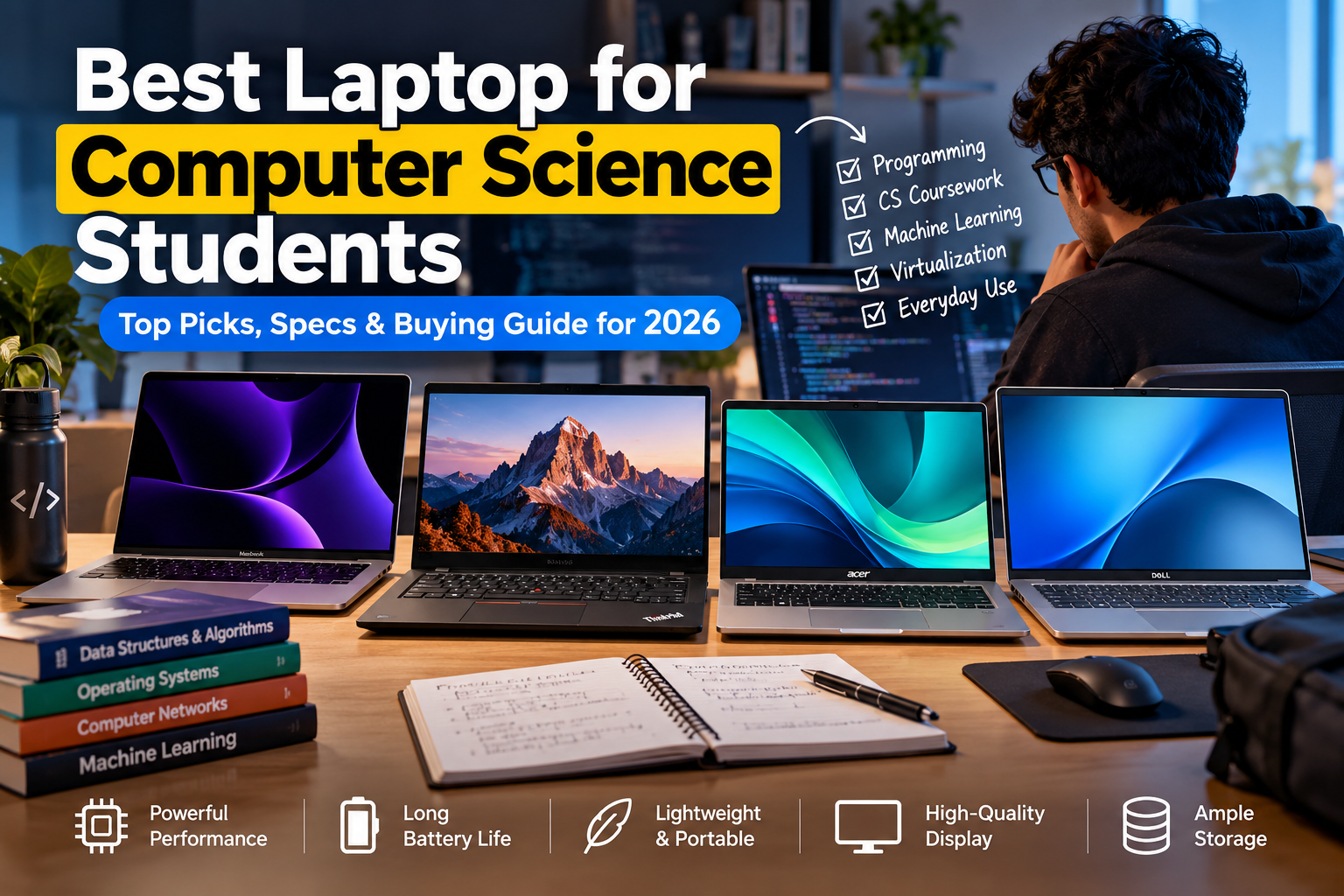
Find the best laptop for computer science students in 2026, with recommendations for programming, ML, Docker, virtualization, and everyday coursework. Picking the right laptop for computer science studies is one of those decisions that follows you through four years of coursework, side projects, and late-night debugging sessions. A machine that can’t keep up with your compiler, your Docker containers, and your 47 open browser tabs is going to slow you down in ways that compound over semesters.
The wrong choice means frustration during data structures labs, laggy virtual machines in operating systems class, and a battery that dies halfway through a lecture hall marathon. The right one becomes an extension of how you think and work. I’ve watched students burn through cheap machines in two years and others get four solid years out of a single well-chosen laptop.
The difference almost always comes down to understanding what CS work actually demands from hardware, rather than chasing specs that look impressive on paper but don’t matter for your workflow. This guide breaks down exactly what to prioritize, which machines deliver in 2026, and how to avoid the most common mistakes students make when choosing a laptop for CS coursework.
Table of Contents
best laptop for computer science students
The specs that matter for programming are different from what matters for gaming or video editing. CS students need a machine that handles compilation, multitasking between IDEs and browsers, and occasional virtualization without choking. Getting the balance right between these components determines whether your laptop feels fast for four years or sluggish after one.
RAM and CPU: Balancing Compile Times and Multitasking
Start with 16 GB of RAM as your floor, not your target. Running an IDE like IntelliJ or VS Code alongside a browser, a terminal, and maybe a database server eats through 8 GB fast. If you plan to take machine learning courses or run virtual machines, 32 GB is worth the investment. Upgrading RAM later is impossible on most modern laptops since manufacturers solder it to the board.
For CPUs, look at the current generation from Apple, AMD, or Intel. Apple’s M4 chips deliver exceptional single-threaded performance with remarkable power efficiency. AMD’s Ryzen 9000 series and Intel’s Core Ultra 200 series both handle compilation and multitasking well. Clock speed matters less than core count and architecture generation: a 2026 six-core chip will outperform a 2023 eight-core chip in most real-world tasks.
Storage Solutions: SSD Speed vs. Capacity
An NVMe SSD is non-negotiable. The difference between an NVMe drive and a SATA SSD is noticeable when loading large projects, and the gap between an SSD and a spinning hard drive is massive. A 512 GB NVMe SSD is the minimum, but 1 TB gives you breathing room for datasets, virtual machine images, and project files that accumulate quickly.
Speed tiers matter less than you’d think for most CS work. A PCIe Gen 4 drive is plenty fast. Don’t pay a premium for Gen 5 unless you’re regularly working with enormous datasets. The real priority is having enough space that you’re not constantly managing storage.
Display and Portability for Campus Life
You’ll stare at this screen for thousands of hours. A 14-inch display hits the sweet spot between readability and portability. Resolution should be at least 1920×1200, and higher pixel density reduces eye strain during long coding sessions. IPS or OLED panels offer better color accuracy and viewing angles than TN panels, which still show up in some budget machines.
Weight matters more than most students expect. Carrying a 5-pound laptop across campus gets old fast. Aim for under 3.5 pounds if you can, and under 4.5 if you’re on a tight budget. A thin, light machine you actually bring to class beats a powerful desktop replacement that stays in your dorm.
Best Laptop for Computer Science Students by Category
With those specs in mind, here are specific machines worth considering in 2026 across different budgets and priorities.
Best Overall Performance and Reliability
The MacBook Pro 14-inch with the M4 Pro chip remains one of the strongest all-around choices for CS students. It offers 18 GB of unified memory in the base configuration, exceptional battery life (often 14+ hours), and a brilliant display. The build quality means it’ll survive four years of backpack life. Expect to pay around $1,800 to $2,000.
The Lenovo ThinkPad T14s Gen 6 with a Ryzen 9000 series processor is the Windows counterpart. ThinkPads have earned their reputation in professional and academic environments for a reason: the keyboards are excellent, the build is durable, and the Linux compatibility is outstanding. Pricing starts around $1,200 configured with 16 GB RAM and a 512 GB SSD.
Best Budget-Friendly Options for Students
The Acer Swift Go 14 offers solid performance with AMD Ryzen 7000 or 8000 series chips, 16 GB RAM, and a good display for around $700 to $800. It won’t win any build quality awards, but it handles IDE work, web development, and introductory coursework without issue.
The Lenovo IdeaPad Pro 5i is another strong contender in the $800 range. It packs Intel Core Ultra processors, a 2.8K display, and decent battery life. For students who need a capable machine without stretching their budget, either of these options will carry you through most undergraduate CS programs.
Premium Ultrabooks for Maximum Portability
The MacBook Air M4 weighs just 2.7 pounds and handles most CS tasks with ease. At around $1,200, it’s lighter and cheaper than the Pro, though it trades some sustained performance and port selection. For students who prioritize carrying the lightest possible machine, this is hard to beat.
The Dell XPS 13 Plus and the ASUS Zenbook 14 OLED both compete in this space on the Windows side, offering gorgeous displays and sub-3-pound designs. The tradeoff with ultrabooks is always thermal throttling under sustained loads: compiling a large C++ project will take longer than on a thicker machine with better cooling.
Choosing the Right Operating System
Your OS choice shapes your daily workflow more than almost any hardware spec. Each platform has genuine strengths for CS work, and the “right” answer depends on what you’ll be doing most.
macOS for Unix-Based Development
macOS is Unix-based, which means the terminal environment mirrors what you’ll encounter on most production servers. Tools like Homebrew make package management straightforward, and the ecosystem of development tools is mature. If your coursework involves iOS or macOS development, you’ll need a Mac: there’s no practical alternative.
The downside is cost and limited hardware options. You’re locked into Apple’s lineup, and repairs are expensive. Some enterprise and systems programming tools have weaker macOS support, though this gap has narrowed significantly.
Windows and WSL for Versatility
Windows with WSL2 (Windows Subsystem for Linux) has become a genuinely viable development environment. You get a full Linux kernel running alongside Windows, which means you can use Linux command-line tools and run most server-side software natively. This combination gives you the broadest software compatibility of any platform.
Windows also offers the widest hardware selection at every price point. If you need specific software that only runs on Windows, like certain .NET tools, game engines, or enterprise applications, this is your path. The tradeoff is that Windows requires more configuration to get a clean development environment compared to macOS or native Linux.
Linux Compatibility for Open Source Projects
Running Linux natively gives you the closest experience to production server environments. If your program emphasizes systems programming, kernel development, or open-source contributions, Linux is the natural fit. Distributions like Ubuntu 24.04 LTS and Fedora 44 offer polished desktop experiences that rival commercial operating systems.
Before buying a laptop specifically for Linux, check compatibility. ThinkPads, Dell XPS machines, and System76 laptops have the best Linux hardware support. Avoid machines with very new or unusual hardware components, as driver support can lag by months. Some students dual-boot Linux alongside Windows, which works well if you configure it properly.
Specialized Requirements for Advanced Coursework
General-purpose specs handle most introductory and intermediate CS courses. But upper-division and graduate-level work can demand specific hardware capabilities.
GPUs for Machine Learning and Game Development
If your program includes machine learning courses, a dedicated NVIDIA GPU with CUDA support is extremely valuable. Training models on a CPU is painfully slow compared to GPU acceleration. The NVIDIA RTX 4060 or 4070 laptop GPUs offer good performance for student-scale ML projects without destroying battery life.
Game development courses using Unreal Engine or Unity also benefit from dedicated graphics. Budget at least $1,300 to $1,500 for a laptop with a capable discrete GPU. Machines like the ASUS ROG Zephyrus G14 or the Lenovo Legion Slim 5 balance gaming-grade GPUs with reasonable portability.
Virtualization and Docker Support
Operating systems courses and cloud computing classes often require running virtual machines or Docker containers. Both need strong CPU virtualization support (Intel VT-x or AMD-V) and plenty of RAM. With 16 GB, you can run one or two VMs comfortably. With 32 GB, you can run more complex multi-container setups without swapping to disk.
Check that your chosen laptop’s BIOS allows enabling hardware virtualization. Most modern machines support it, but some budget models ship with it disabled by default. Docker Desktop runs well on all three major operating systems in 2026, though Linux offers the most direct container support since Docker uses the Linux kernel natively.
Ergonomics and Long-Term Durability
A laptop you’ll use for four years needs to be comfortable and built to last. These factors don’t show up on spec sheets, but they determine your daily experience.
Keyboard Quality and Typing Comfort
You’ll type millions of keystrokes on this keyboard. Key travel, spacing, and tactile feedback directly affect your comfort and speed. ThinkPad keyboards consistently rank among the best in the industry. Apple’s current keyboards have improved dramatically from the butterfly-switch era and now offer satisfying travel and reliability.
Test keyboards in person if possible. What feels great to one person feels mushy or stiff to another. Avoid laptops with cramped layouts, missing keys, or shallow travel below 1mm. A good keyboard reduces fatigue during long coding sessions and can prevent repetitive strain injuries over time.
Battery Life for All-Day Lectures
A laptop that dies by 2 PM is a laptop you’ll stop bringing to class. Aim for at least 8 hours of real-world battery life, which typically means 10+ hours of manufacturer-claimed battery life. Apple Silicon MacBooks lead here, with the M4 Air and Pro regularly hitting 12 to 16 hours of mixed use.
On the Windows side, AMD Ryzen-based ultrabooks generally offer better battery life than their Intel counterparts, though Intel’s Core Ultra 200 series has closed the gap. Discrete GPUs drain batteries significantly faster, so if you bought a machine with an RTX GPU, expect 5 to 7 hours of battery life rather than 10+.
Apple MacBook specifications — Apple MacBook Pro specifications Intel processor specifications — Intel Processor specifications NVIDIA CUDA — link to the official NVIDIA CUDA page from your WordPress editor AMD Ryzen — link to the official AMD Ryzen processor page
Making the Final Investment Decision
The best laptop for a CS student is the one that matches your specific coursework, budget, and daily habits. A $700 Acer Swift Go handles web development and data structures just fine. A $2,000 MacBook Pro with 32 GB RAM is worth it if you’re doing ML research and iOS development. Neither choice is universally “right.”
Buy as much RAM as you can afford since it’s the hardest component to upgrade later. Prioritize an SSD with enough space, a CPU from the current generation, and a keyboard you enjoy typing on. Screen quality and battery life matter more than you think they will, and weight matters more than you think it does.
If you’re a first-year student unsure about your specialization, a 16 GB machine with a good CPU and no discrete GPU covers 90% of undergraduate CS coursework. You can always use cloud computing resources or university lab machines for GPU-intensive work. Spend your money on the machine you’ll carry every day, not the one that handles a hypothetical future workload. Your laptop is a tool: pick the one that fits your hands, your bag, and your actual work.
I hope this article is helpful for you, please share it on social media and MarketGuidely provides quality and informative and problem solving article/solution, Thank You
Author

marketguidely@gmail.com
Related Posts

Best 4K TV Under ₹40000 for Home Cinema
- 0
- 1,973 word
Best 4K TV Under ₹40000, Buying a 4K TV for your living room shouldn’t require a six-figure budget. The Indian market in...
Read out all
The Best Gaming Monitors for the PS5
- 0
- 1,926 word
Best Gaming Monitors for the PS5, The PS5 has been out for several years now, and Sony’s console still delivers some of...
Read out all
Best Phone Under ₹25000 in 2026: Top Picks
- 0
- 4,557 words
Shopping for the best phone under ₹25000 in 2026 is a lot less simple than it looks. The good news is that...
Read out all
Best Phone Under ₹30000 in 2026: Top Picks
- 0
- 2,843 words
A phone under ₹30000 in 2026 is no longer a compromise box you tolerate until your “real” upgrade. It’s the price range...
Read out all
iPhone 18 vs iPhone 17: Complete Comparison & Powerful Differences — Which Is Best?
- 0
- 2,537 words
The iPhone 18 vs iPhone 17 comparison matters because Apple upgrades are rarely equal. Some years give you a noticeable jump in...
Read out all